Simplifying the Way Publishers
Use Video
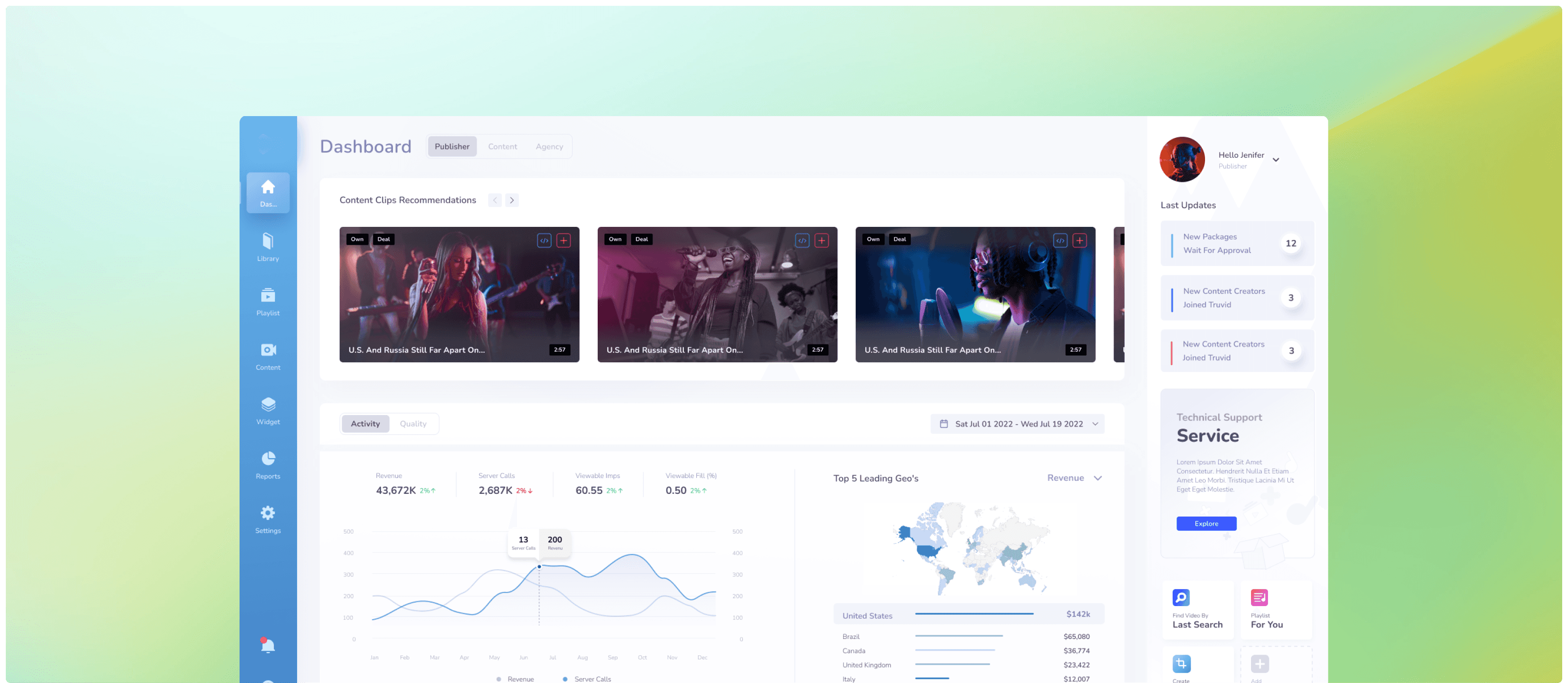
As a Product Designer at Triolla, I redesigned a complex B2B video platform.
My goal was to simplify the workflow and remove technical barriers.
I created a direct path from finding content to placing it on the website, allowing publishers to focus on revenue instead of setup.
Responsibilities
Product Design
UX Research
Simplifying the Way Publishers
Use Video
As a Product Designer at Triolla, I redesigned a complex B2B video platform.
My goal was to simplify the workflow and remove technical barriers.
I created a direct path from finding content to placing it on the website, allowing publishers to focus on revenue instead of setup.
The Challenge
Before I started designing, I analyzed the existing platform to identify the main friction points:
Making a complex system easy for marketing managers who have no technical background.
Filtering massive amounts of data into clear insights that users can actually understand and use.
Creating a single interface that works for two very different types of users.
The Challenge
Before I started designing, I analyzed the existing platform to identify the main friction points:
Making a complex system easy for marketing managers who have no technical background.
Filtering massive amounts of data into clear insights that users can actually understand and use.
Creating a single interface that works for two very different types of users.
Learning from the giants (and their mistakes)
I analyzed industry leaders to find patterns users already know and identified where current solutions create unnecessary friction.
Fragmented Workflows
Competitors often force users to jump between multiple screens just to complete one simple task.
The Technical Barrier
Many platforms require technical skills or coding knowledge just to set up the video player.
Rigid Structures
Users are often locked into separate interfaces for different roles which limits their flexibility.
Learning from the giants (and their mistakes)
I analyzed industry leaders to find patterns users already know and identified where current solutions create unnecessary friction.
Fragmented Workflows
Competitors often force users to jump between multiple screens just to complete one simple task.
The Technical Barrier
Many platforms require technical skills or coding knowledge just to set up the video player.
Rigid Structures
Users are often locked into separate interfaces for different roles which limits their flexibility.
Learning from the giants (and their mistakes)
I analyzed industry leaders to find patterns users already know and identified where current solutions create unnecessary friction.
Fragmented Workflows
Competitors often force users to jump between multiple screens just to complete one simple task.
The Technical Barrier
Many platforms require technical skills or coding knowledge just to set up the video player.
Rigid Structures
Users are often locked into separate interfaces for different roles which limits their flexibility.
The Solution
I focused on the areas where users struggled the most. Here are three key moments where design changed the way they work:
The Solution
Publishers needed a friction-free path from finding the right clip to earning
from it.
I compressed that journey to 4 decisive steps - each one built, tested, and refined by me.
Spotlight 01
All in One Dashboard
Problem:
Competitors force users to manage separate accounts for different roles. Users had to log out and log back in just to switch between Publisher and Content Owner.
Solution:
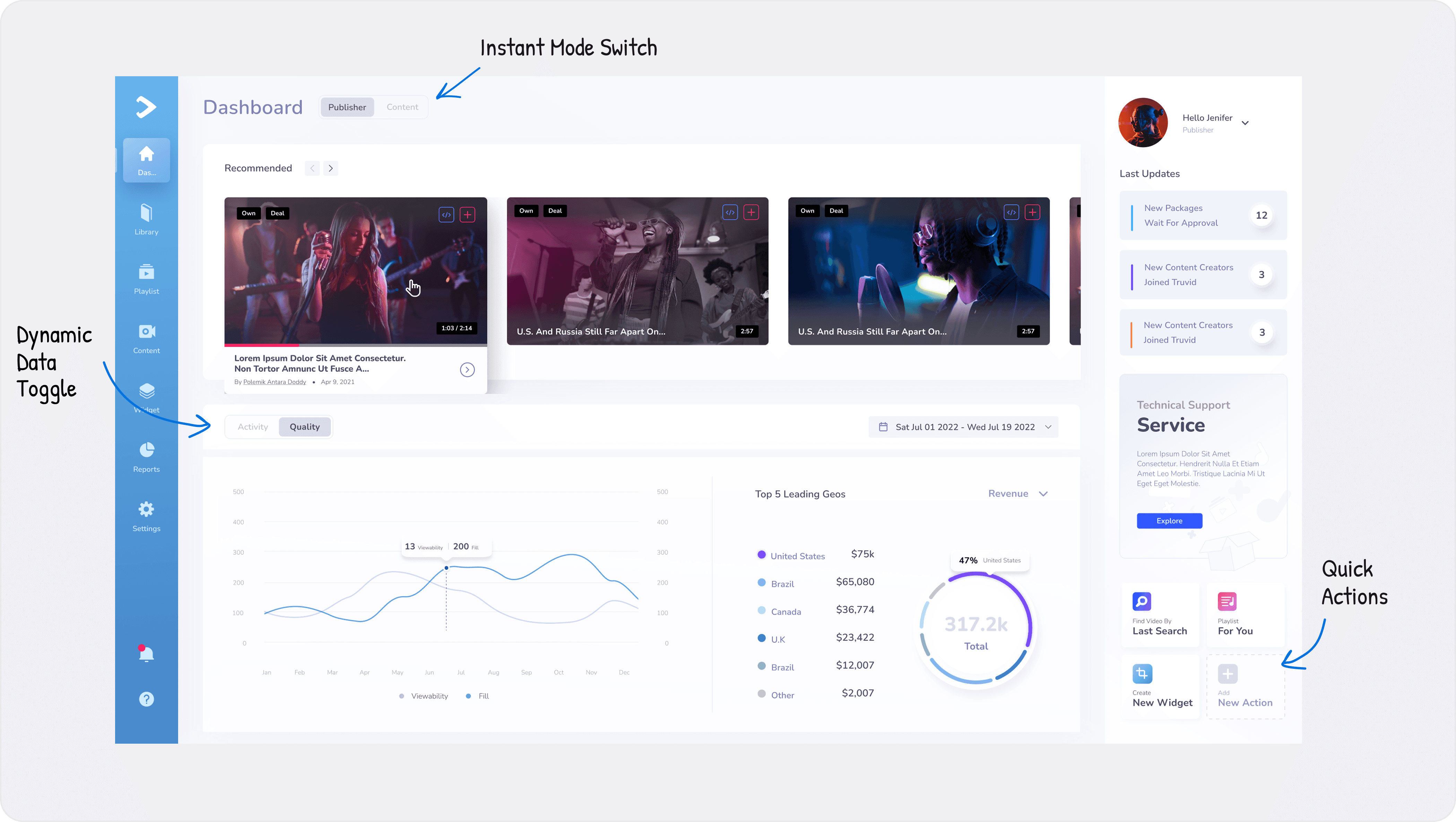
Instant Mode Switch: A toggle to change roles in one click without reloading.
Quick Actions: I moved the most used actions to the main screen.
Dynamic Data Toggle: I implemented a switchable graph view to eliminate visual clutter and reduce cognitive load.
Spotlight 01
All in One Dashboard
Problem:
Competitors force users to manage separate accounts for different roles. Users had to log out and log back in just to switch between Publisher and Content Owner.
Solution:
Instant Mode Switch: A toggle to change roles in one click without reloading.
Quick Actions: I moved the most used actions to the main screen.
Dynamic Data Toggle: I implemented a switchable graph view to eliminate visual clutter and reduce cognitive load.
Spotlight 02
Fueling Motivation Through Feedback
Problem:
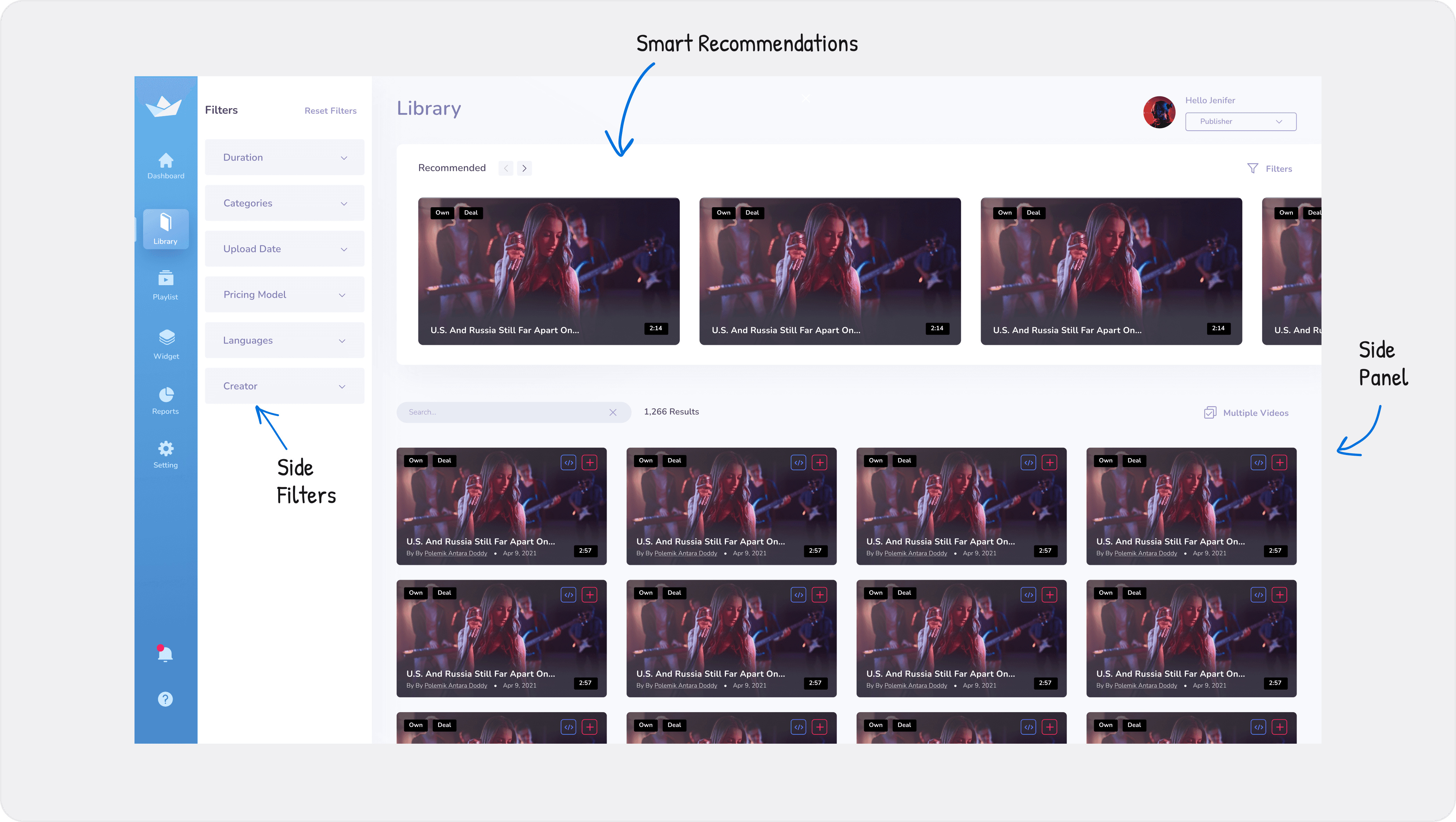
Users had to open videos in new tabs just to see details. This broke their focus and made the workflow slow and frustrating.
Solution:
Side Panel: Users can preview and edit videos in a side drawer without leaving the main list.
Smart Recommendations: The system suggests top videos to help users decide fast.
Side Filters: I placed filters on the side so users can find specific categories immediately.
Spotlight 02
Fueling Motivation Through Feedback
Problem:
Users had to open videos in new tabs just to see details. This broke their focus and made the workflow slow and frustrating.
Solution:
Side Panel: Users can preview and edit videos in a side drawer without leaving the main list.
Smart Recommendations: The system suggests top videos to help users decide fast.
Side Filters: I placed filters on the side so users can find specific categories immediately.
Spotlight 03
Visual Setup, Zero Code
Problem:
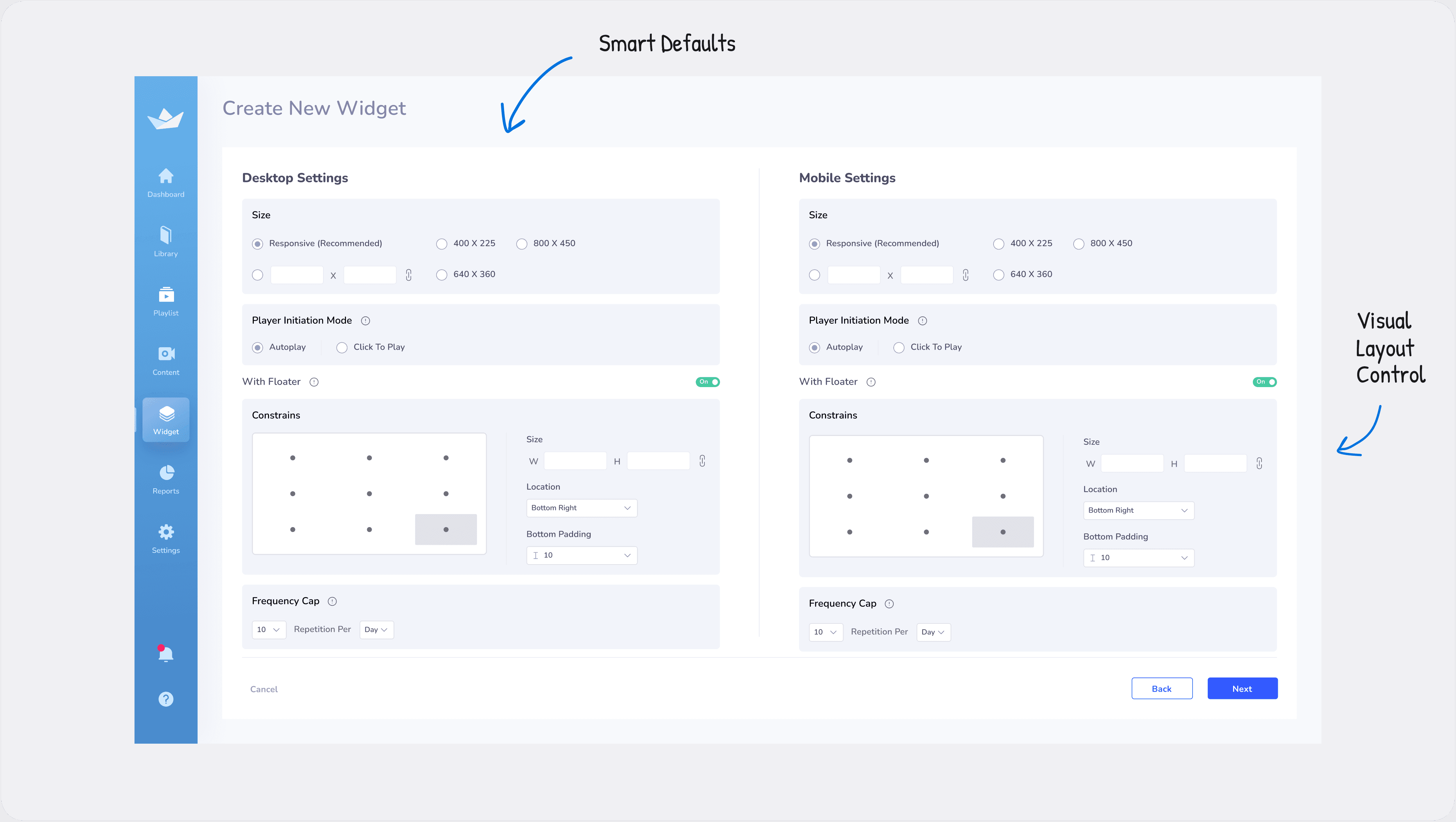
The final step was the scariest part. Users were afraid to touch code because they did not want to break their website layout.
Solution:
Smart Defaults: The system picks the best settings automatically so users cannot make mistakes.
Visual Layout Control: Users can adjust the widget's size and position visually, instead of guessing pixel numbers.
Spotlight 03
Visual Setup, Zero Code
Problem:
The final step was the scariest part. Users were afraid to touch code because they did not want to break their website layout.
Solution:
Smart Defaults: The system picks the best settings automatically so users cannot make mistakes.
Visual Layout Control: Users can adjust the widget's size and position visually, instead of guessing pixel numbers.
Outcomes & Impact
My focus was simply to connect complex technology to the people who use it. It feels good to know that the new design removes technical barriers, allowing users to focus on their content instead of struggling with settings.
Outcomes & Impact
My focus was simply to connect complex technology to the people who use it. It feels good to know that the new design removes technical barriers, allowing users to focus on their content instead of struggling with settings.